
Documentation Index
Fetch the complete documentation index at: https://docs.taqriry.ai/llms.txt
Use this file to discover all available pages before exploring further.
Upgrade Your Subscription
Upgrade your plan to unlock more features, additional meeting credits, and advanced capabilities.How to Upgrade
Navigate to Subscription Settings
Go to your account settings and click on “Subscription” or “Billing” to view your current plan.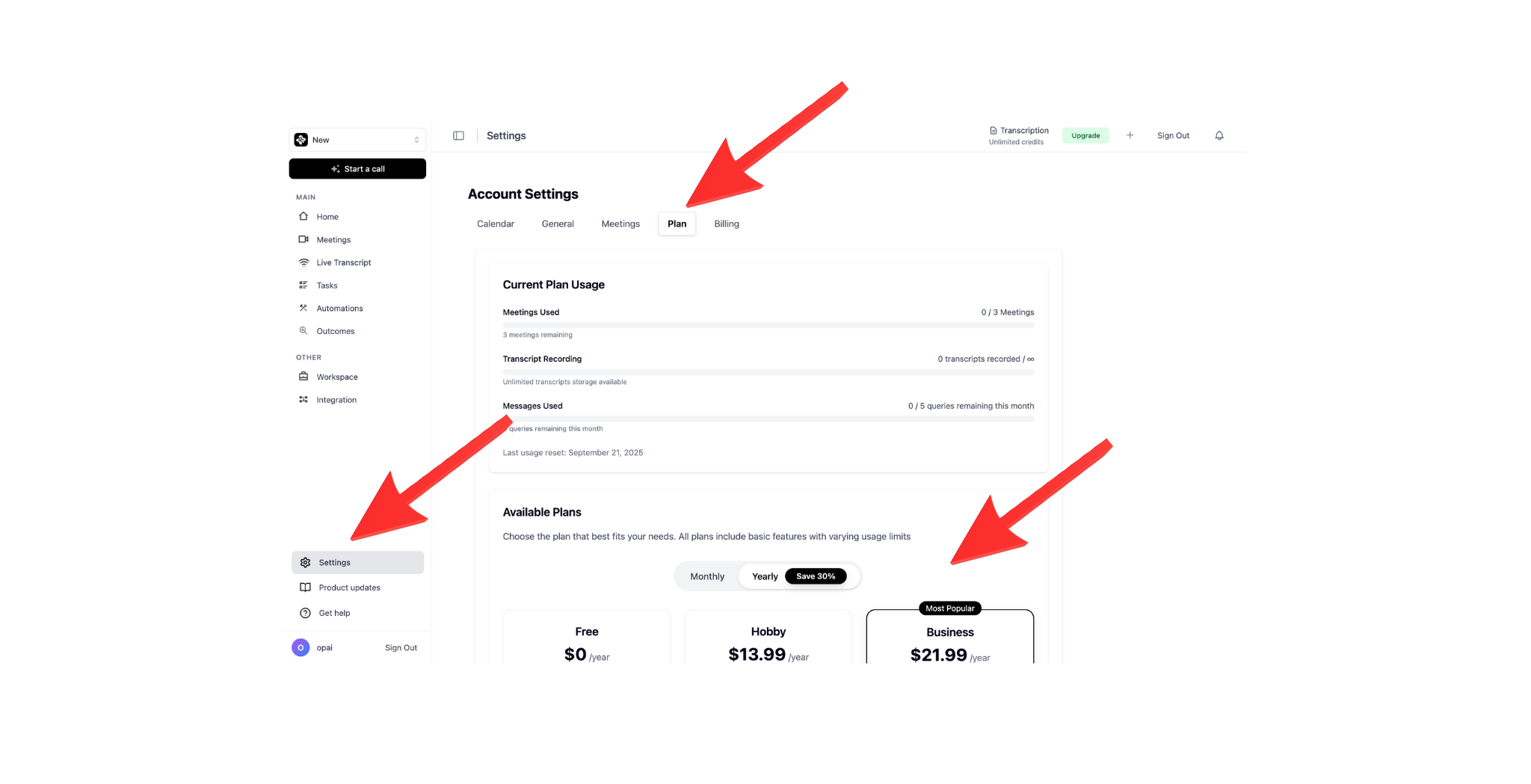
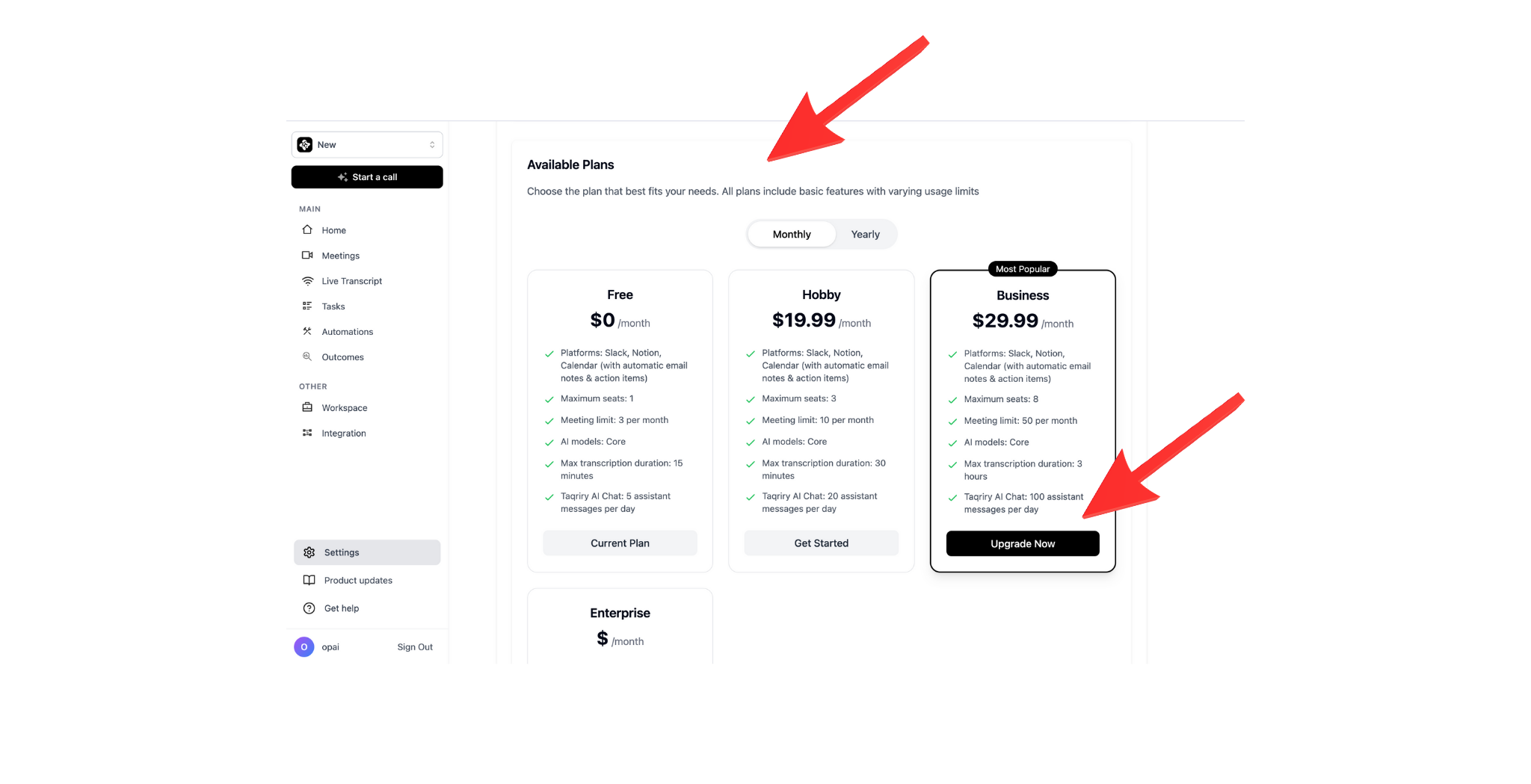
Available Plans
Basic
- 25 meetings/month
- Standard transcription
- Email summaries
Pro
- 100 meetings/month
- HD recording
- Priority support
Enterprise
- Unlimited meetings
- Custom integrations
- Dedicated support
What’s Included in Each Plan
- Basic
- Pro
- Enterprise
Perfect for individuals and small teams:
- Up to 25 AI-assisted meetings per month
- Standard quality transcription
- Email summary delivery
- Basic templates
Payment & Billing
- Payment Methods: Credit card, debit card, or invoice (Enterprise)
- Billing Cycle: Monthly or annual (save 20% with annual)
- Prorated Charges: Upgrades are prorated based on your billing cycle
Your new plan takes effect immediately after upgrade. Any unused credits from your previous plan will be carried over.
Next Steps
Cancel Subscription
Need to downgrade or cancel? Learn how here