
Documentation Index
Fetch the complete documentation index at: https://docs.taqriry.ai/llms.txt
Use this file to discover all available pages before exploring further.
Change Language Settings
Configure the language preferences for your AI meeting summaries and transcriptions.Changing Your Language
Access Language Settings
Navigate to your account settings and locate the language preferences section.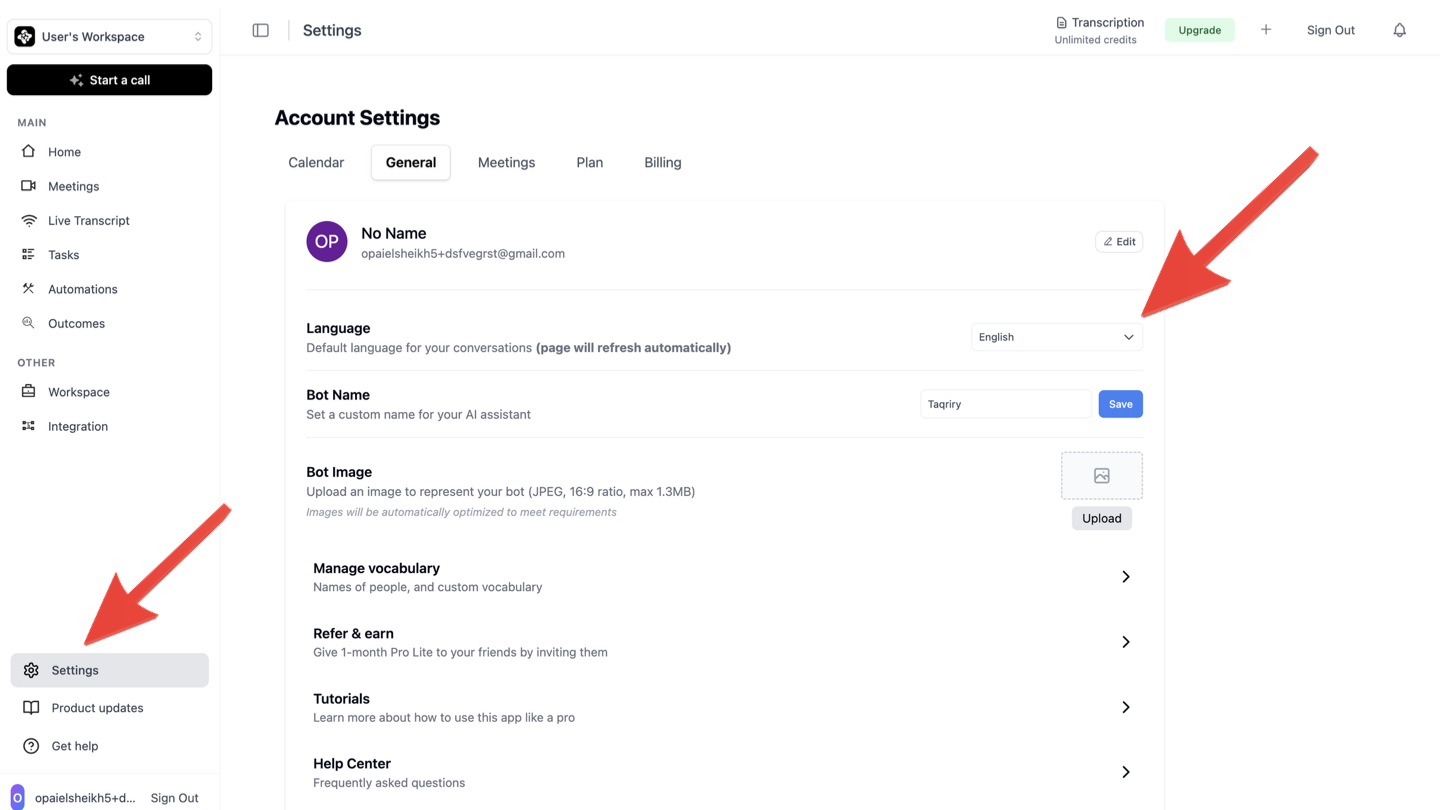
Select Your Language
Choose your preferred language from the dropdown menu. The AI agent will use this language for:
- Meeting transcriptions
- Summary generation
- Email notifications
Supported Languages
The AI Meeting Assistant supports multiple languages for transcription and summaries:English
Full support
Arabic
Full support
Spanish
Full support
Language settings apply to all future meetings. Previously recorded meetings will retain their original language settings.