
Documentation Index
Fetch the complete documentation index at: https://docs.taqriry.ai/llms.txt
Use this file to discover all available pages before exploring further.
Connect Your Calendar
Integrate your calendar to enable the AI agent to automatically join your scheduled meetings.Supported Calendar Platforms
Our AI meeting assistant supports the following calendar platforms:Google Calendar
Full integration support
Microsoft Outlook
Full integration support
Apple Calendar
iCal integration support
Connecting Your Calendar
Google Calendar Integration

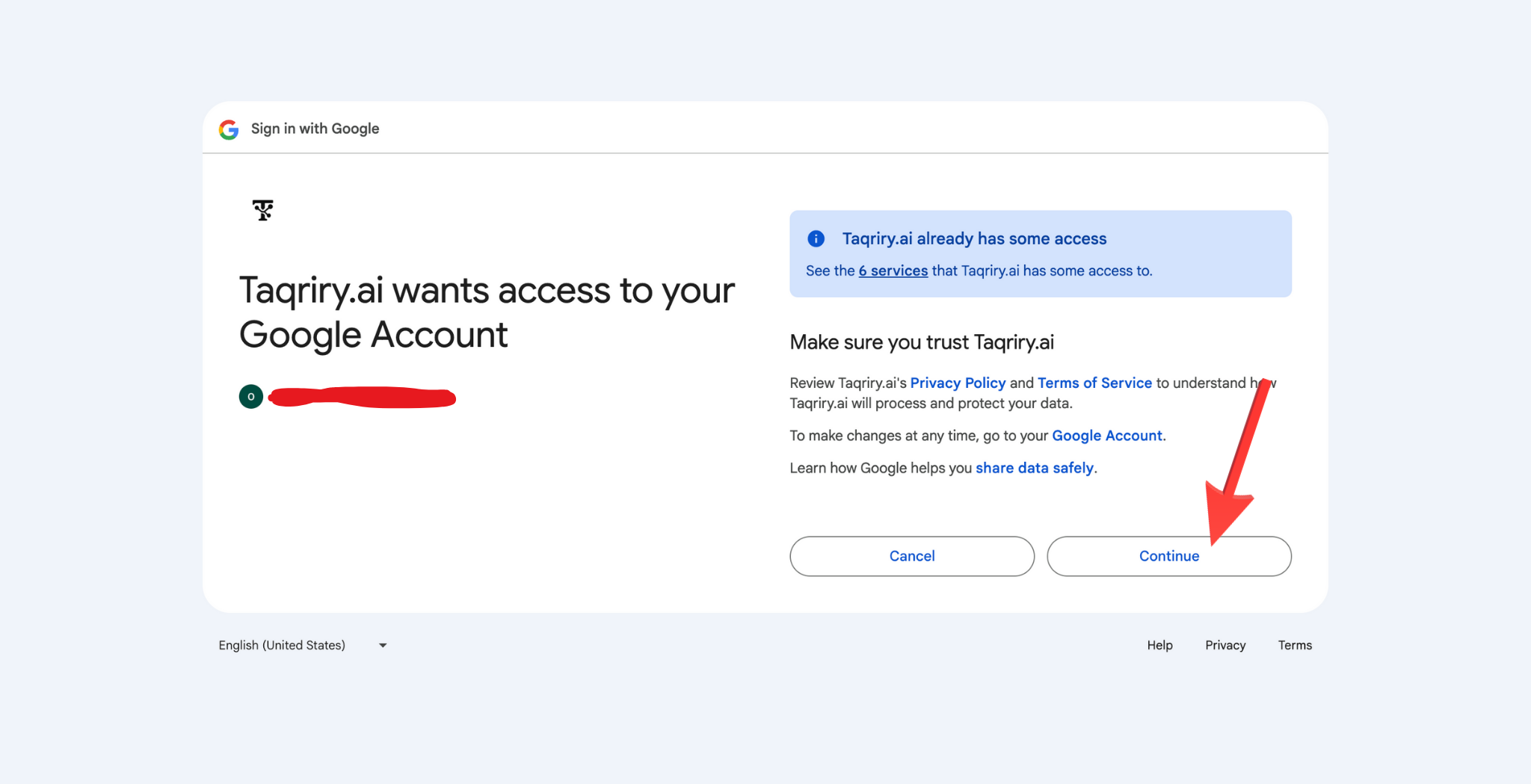


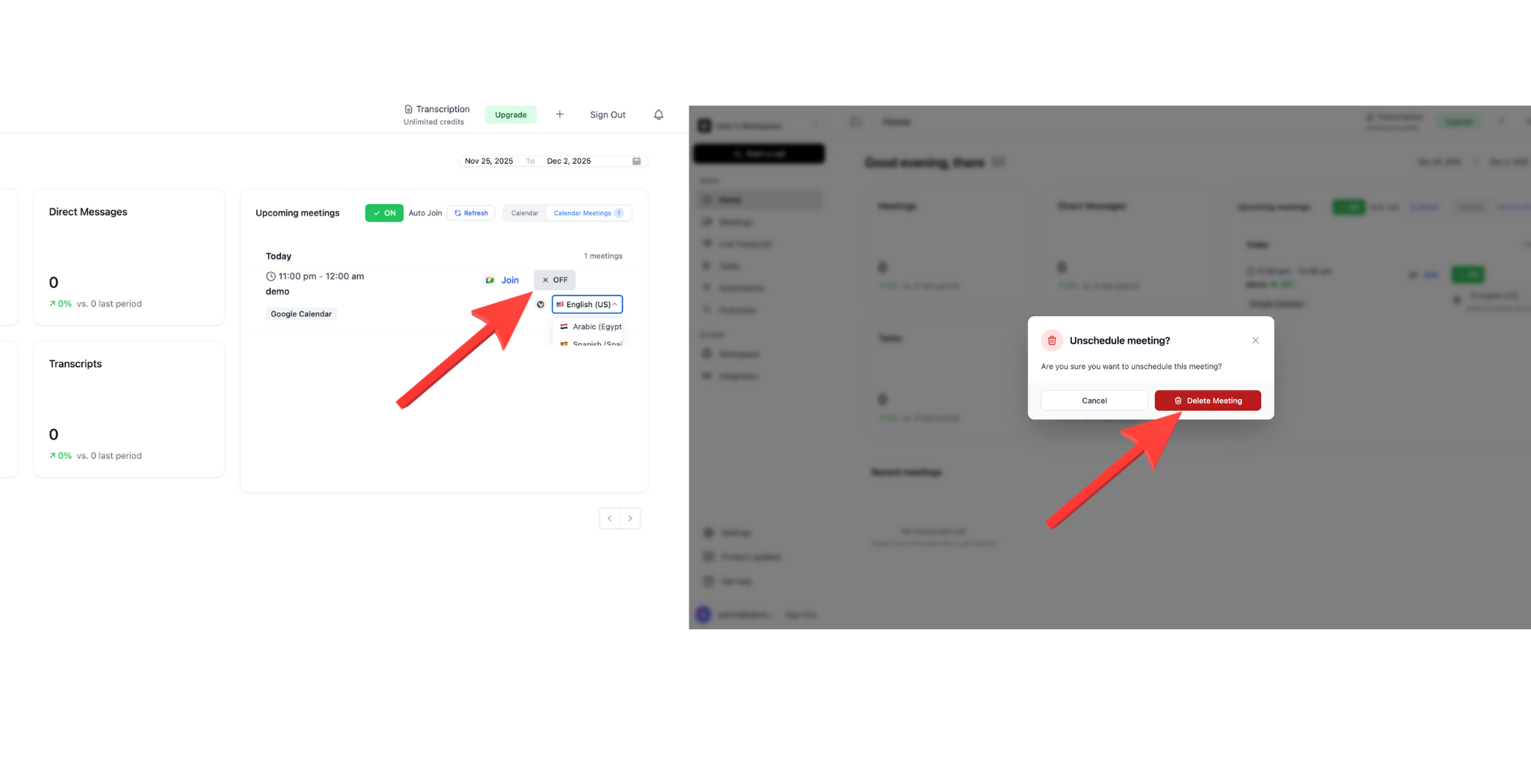
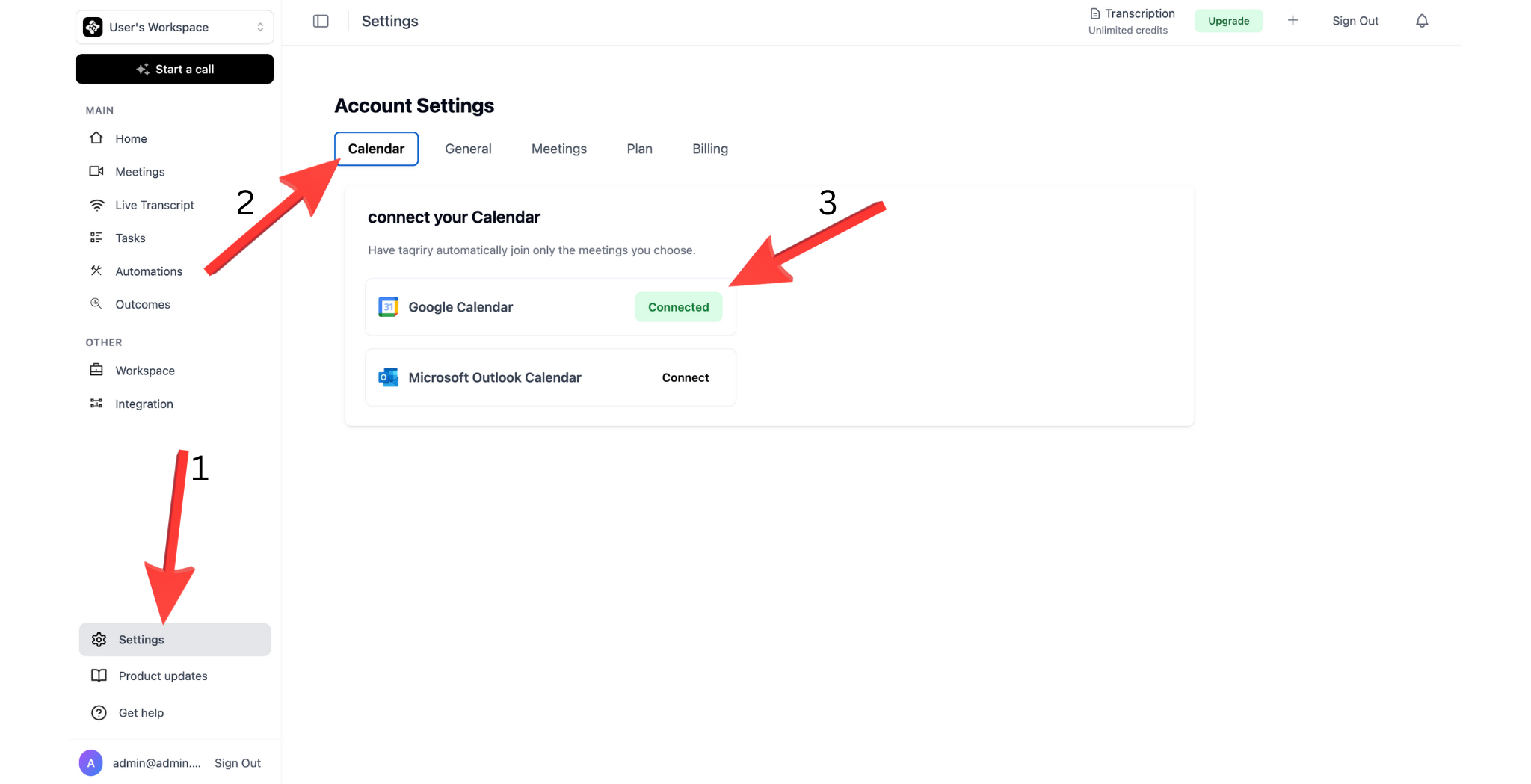
Microsoft Outlook & Apple Calendar
Follow similar steps for Microsoft Outlook and Apple Calendar by selecting the respective options in the Integrations menu.Automated AI Agent Joining
Once your calendar is connected, the AI agent can automatically:- Detect Scheduled Meetings: Scan your calendar for upcoming meetings
- Auto-Join: Join meetings based on your preferences
- Send Reminders: Notify you before the agent joins
- Skip Personal Events: Respect privacy settings and excluded calendars
Managing Calendar Settings
Auto-Join Preferences
Configure when the AI agent should automatically join:Excluded Calendars
Prevent the agent from accessing certain calendars:- Personal calendars
- Out-of-office calendars
- Private event calendars
Sync Frequency
Choose how often to sync with your calendar:- Real-time: Instant updates (recommended)
- Every 5 minutes: Balanced approach
- Every 15 minutes: Light sync
- Manual: Sync on demand
Troubleshooting
Calendar not syncing
Calendar not syncing
- Verify you’ve granted all necessary permissions
- Check your internet connection
- Try disconnecting and reconnecting your calendar
- Contact support if issues persist
Agent not auto-joining meetings
Agent not auto-joining meetings
- Ensure auto-join is enabled in settings
- Check that the meeting isn’t in an excluded calendar
- Verify the AI agent has calendar access permissions
- Review your auto-join rules configuration
Permission errors
Permission errors
- Re-authenticate your calendar connection
- Ensure your organization allows third-party integrations
- Check that calendar sharing settings are properly configured
Next Steps
Schedule AI Agent for Meetings
Learn how to schedule the AI agent for specific meetings